Features
Everything Nexus can do, grouped like the app. All pictures come from the real interface, filled with test data. They show the German interface; the app also comes in English.
Many features are built and covered by automated tests but have not been checked on real hardware yet. Nexus is in beta.
Monitoring
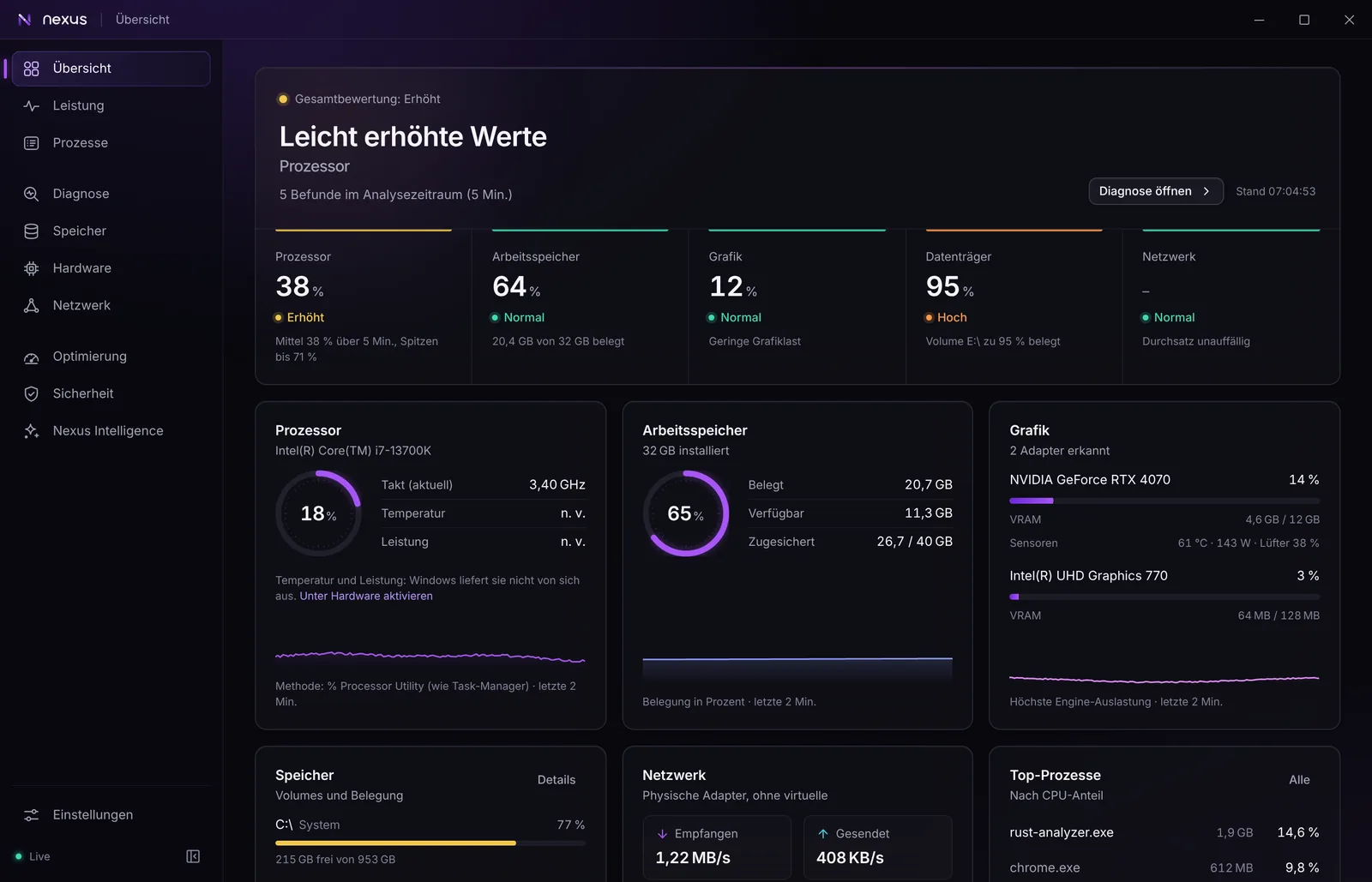
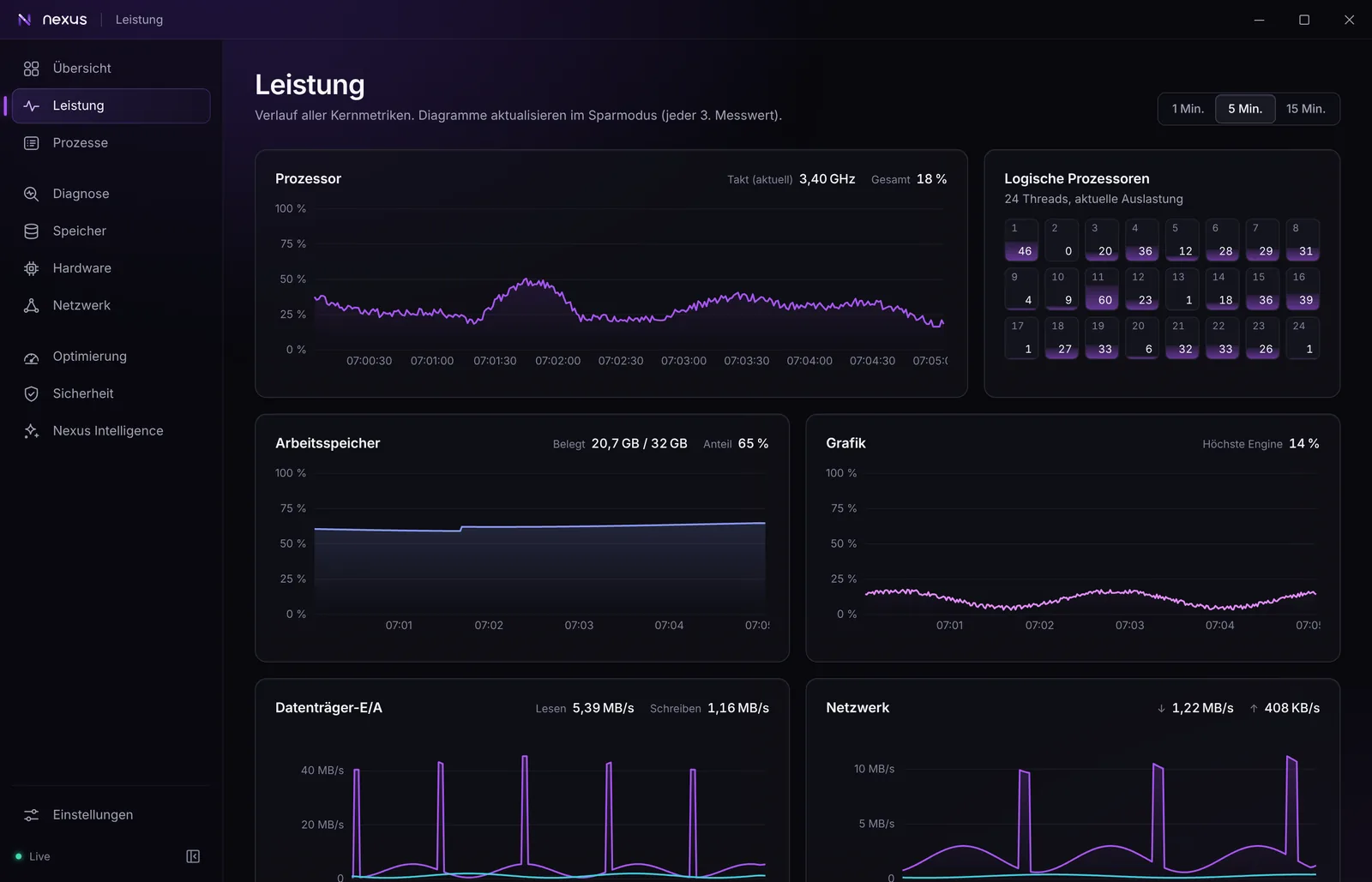
Live values for processor, memory, graphics, drives and network, with an overall rating that ignores short spikes.
- Overview with a rating per component and live cards, including the top processes
- Real-time charts and a long-term history over 24 hours, 7 or 30 days
- Game sessions with the measured bottleneck
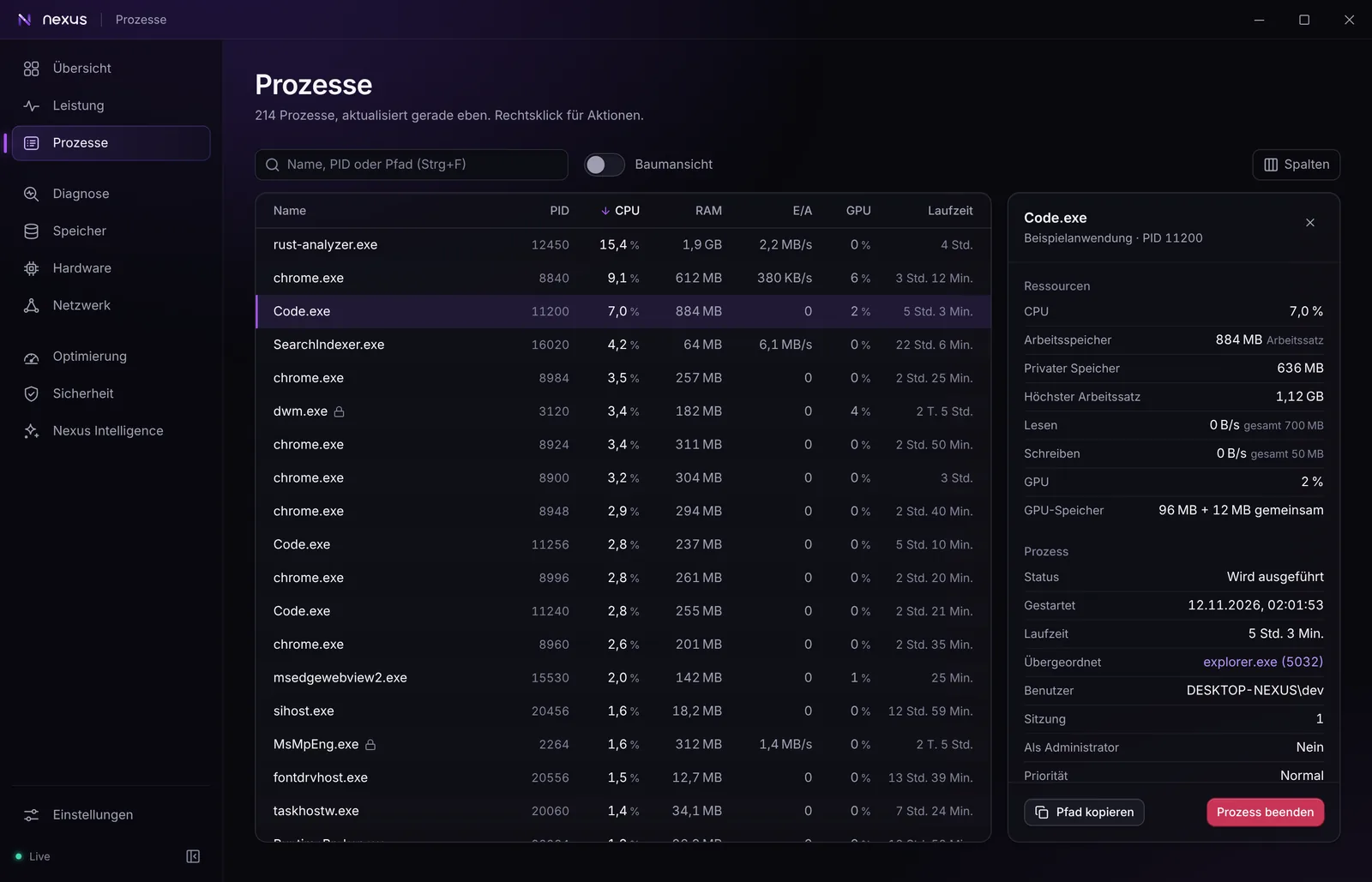
- Processes with search, tree view, details and signature check; ending one asks first and protects system processes
- Process priority, efficiency mode and “close normally” from the process details
- Sensor recording to a CSV file and a compact view in the tray
Diagnostics
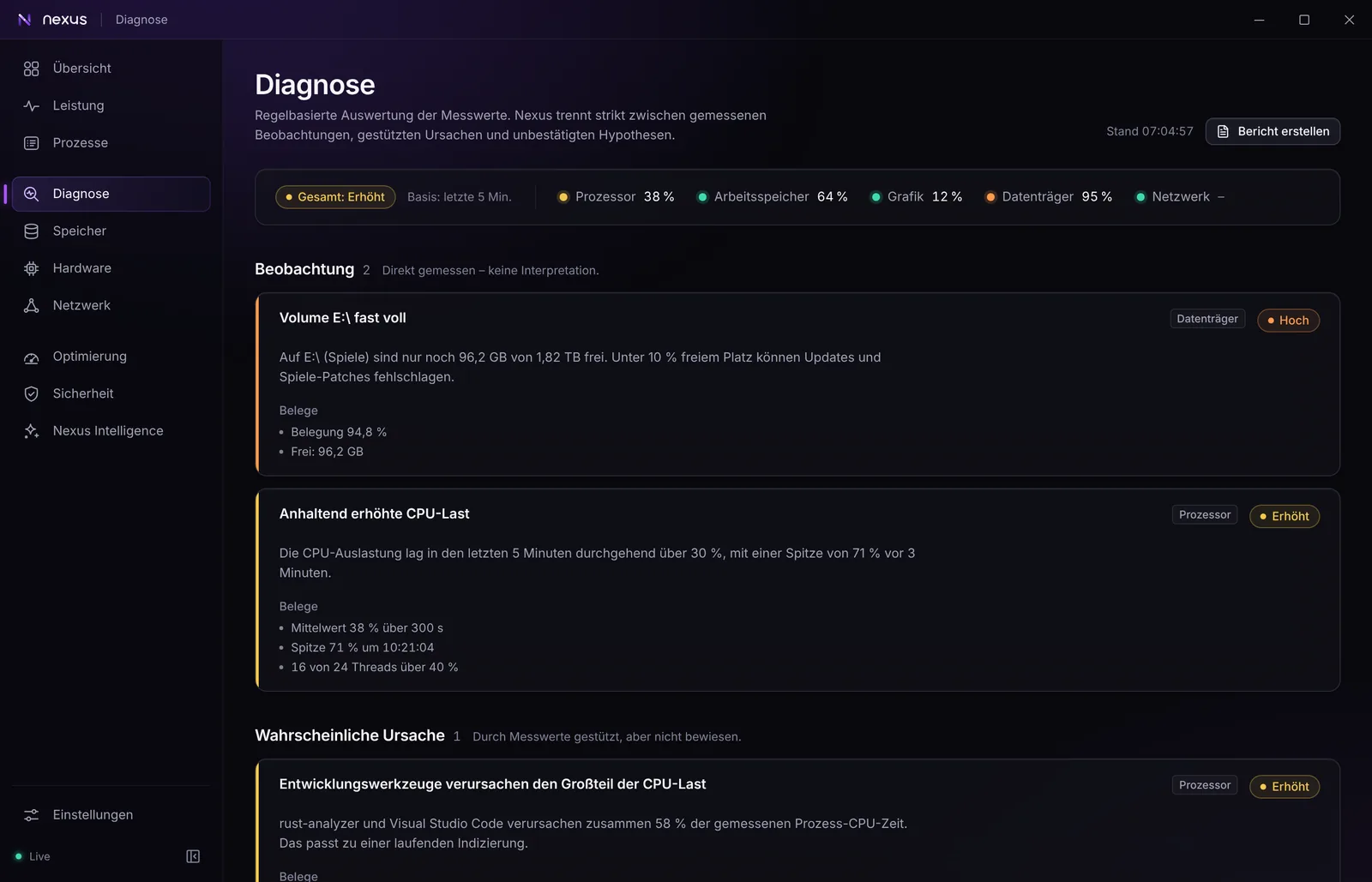
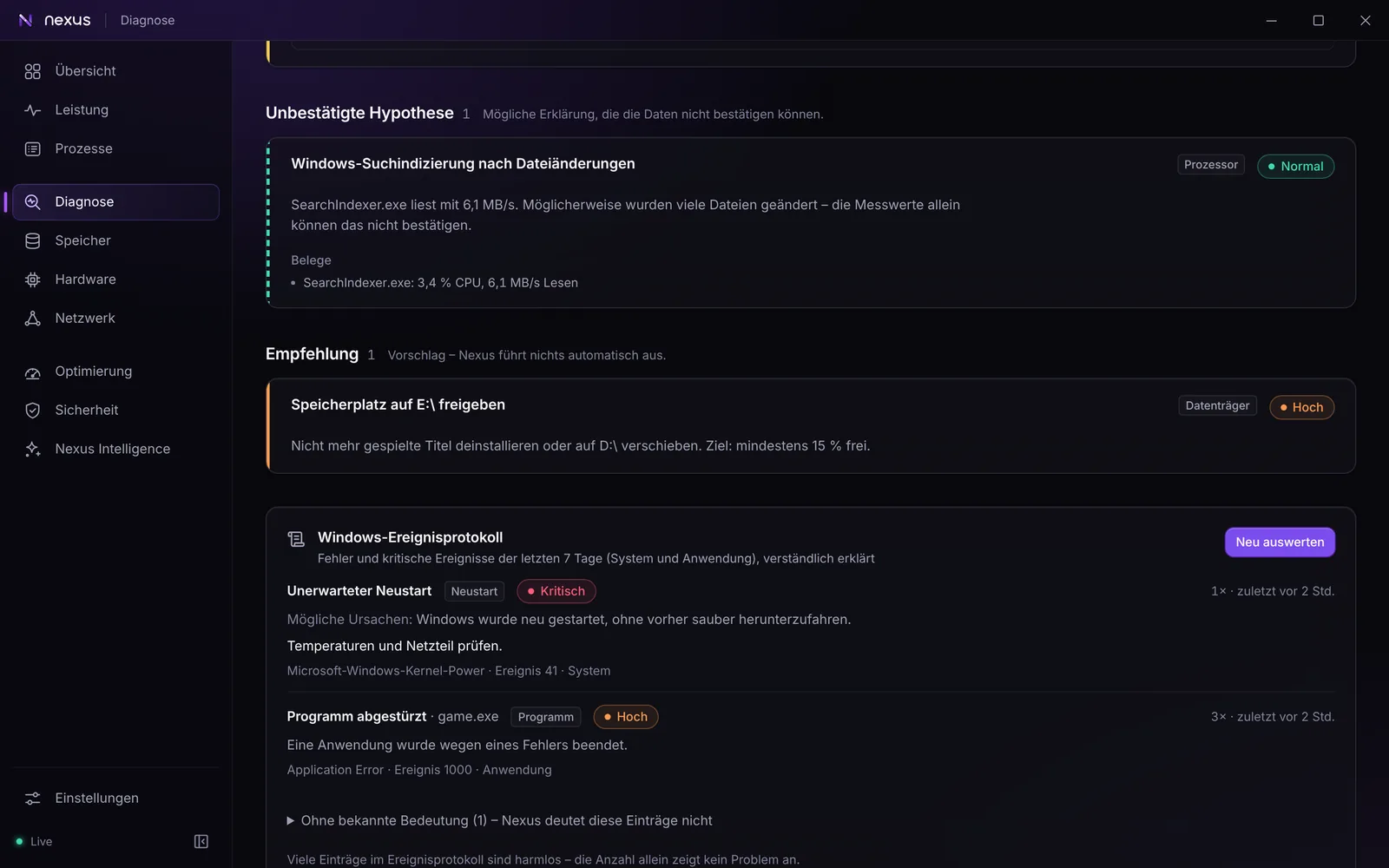
Nexus evaluates load over time and names the program behind a problem, keeping measurements, likely causes and guesses apart.
- Cause analysis that separates measured observations, likely causes and unconfirmed hypotheses
- The Windows event log explained in plain words
- A diagnostic report without personal data, to save or, only on your click, to send to the developer after you have read it
- Crashes and reliability over 7, 30 or 90 days: blue screens with their stop code, unexpected restarts, program crashes and hardware errors, plus the stability index Windows calculates itself
- Devices with problems: what Device Manager flags, with the error code in plain words and the next step
- Sleep and wake: what woke the PC and how long it slept
- Windows Update history, with common documented error codes explained
Hardware and sensors
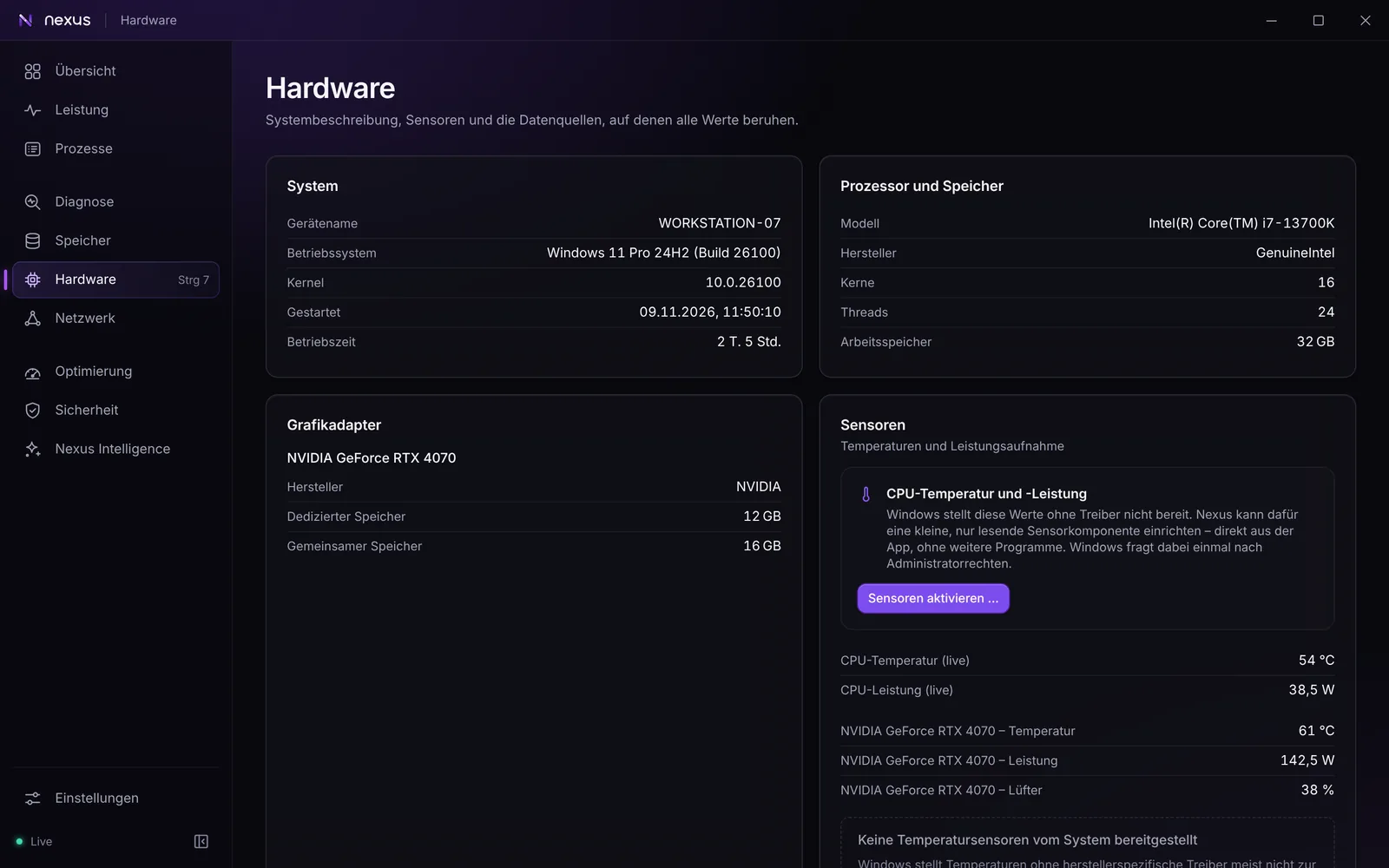
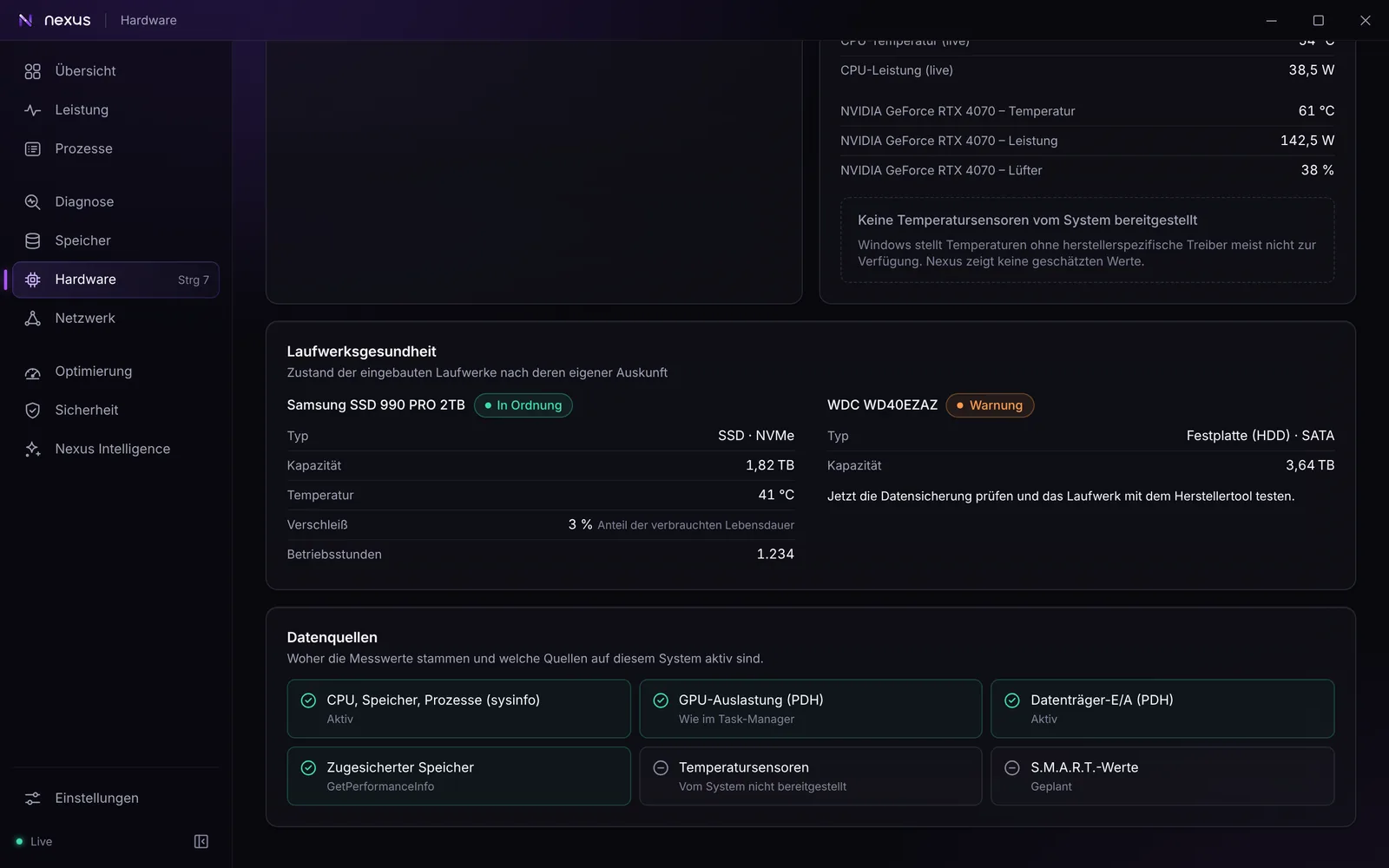
System details, drive health read directly from the drive and sensor values from the graphics driver, without guessing.
- Drive health: NVMe temperature, wear and power-on hours
- NVIDIA graphics: temperature, power and fan speed, without an extra driver
- CPU temperature and power through the optional sensor component (see Download)
- Your own alert rules, for example “GPU above 85 °C for longer than 10 minutes”
Storage
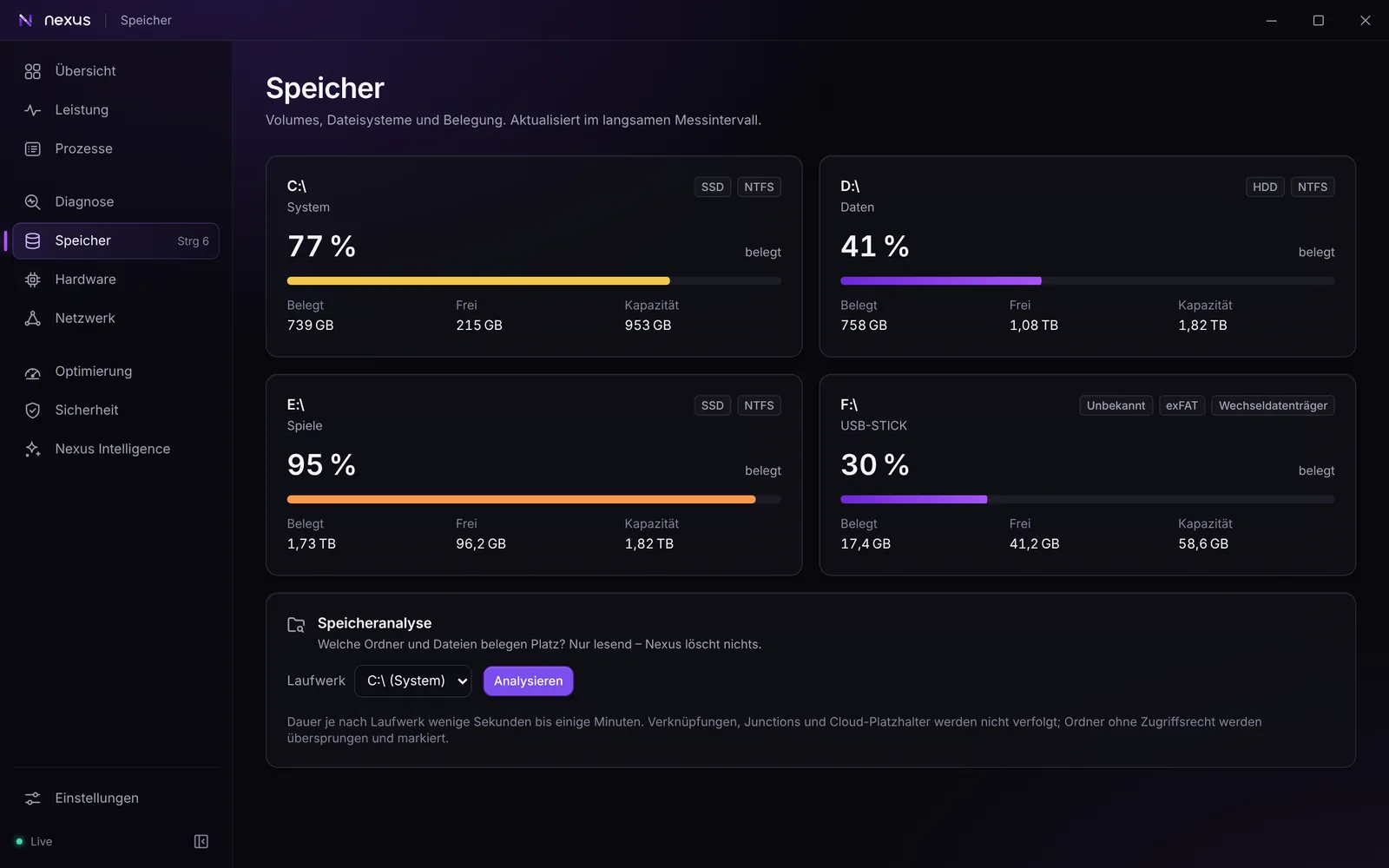
See what takes up space on every drive. The storage analysis only reads; it never deletes anything.
- Volumes with type, file system and usage
- A treemap of folders, the largest files and file types
- Read only: nothing is deleted or moved
Network
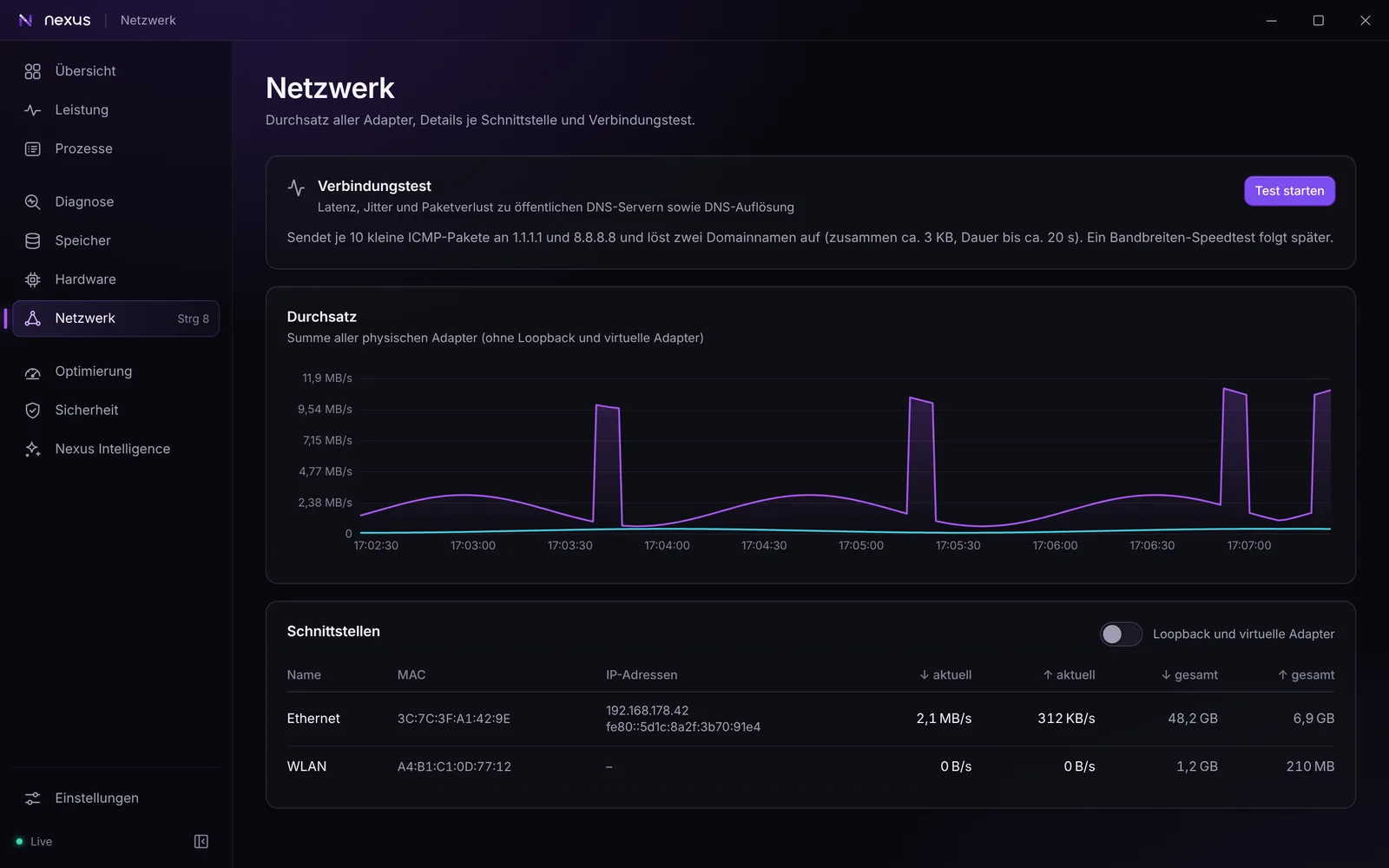
Throughput and adapters at a glance, and a connection test when you ask for it.
- Throughput per physical adapter, without virtual ones
- Connection test on request: latency, jitter, packet loss and DNS
- Connections per program, read only, with path and signature
Optimization
Suggestions that make a measurable difference. Nothing changes without your confirmation, and changes can be undone.
- An overview with “What helps most right now”: up to five steps, taken from measurements only
- PC check on request: looks for what makes a noticeable difference, such as the refresh rate of each display
- Game check: compares your PC with the official requirements of 26 games, part by part, and names the bottleneck. Processor and graphics card are rated as an estimate from a performance table, and Nexus says so
- Hardware: Windows power mode, resolution and refresh rate per display with a 15-second keep-or-revert trial, and the power limit of NVIDIA graphics cards within the range the driver reports (AMD not yet supported)
- Lower latency with documented Windows settings only: Game Mode, hardware-accelerated GPU scheduling, optimizations for windowed games, mouse acceleration off
- Memory overview with the largest consumers and a hint when the memory runs below its rated speed. Nexus does not overclock
- Startup manager that can be undone, like in Task Manager
- Every change is explained, confirmed by you, written to the local audit log and reversible where possible
- No registry cleaner, no RAM booster, no one-click “optimize everything”
No screenshot of this area yet.
Maintenance and repair
Windows' own repair and update tools, started on your click in administrator mode, with a restore point first. New in 0.6.2 and not yet checked on real hardware.
- Repair system files with DISM RestoreHealth and SFC, as a background job that shows each step and its result
- Driver updates from Windows Update only, never from other sources. Automatic driver updates are a setting that is off by default
- Security updates from Windows Update on your click. Nexus never restarts the PC
- Restore points: see the list and create one. Nexus asks Windows for one before repairs, clean-ups and updates
- Windows folder clean-up with Windows' own tools: it measures first (component store, Delivery Optimization cache, Windows.old) and tells you before each step that it cannot be undone
- Old driver packages: find replaced, unused ones and remove them one by one, after a checked backup you can restore from
- Back up the list of your installed winget programs and bring it to another PC
No screenshot of this area yet.
Security
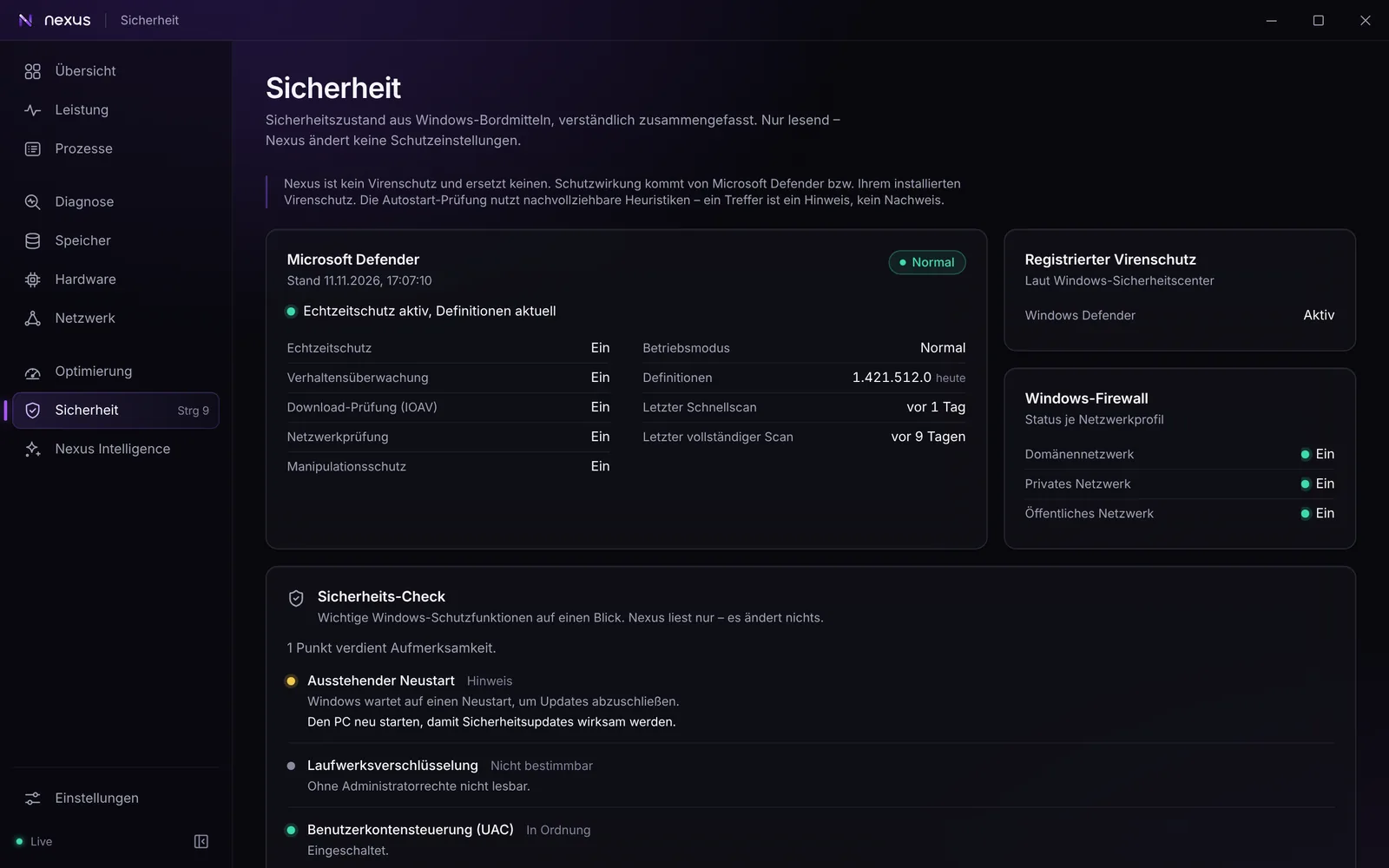
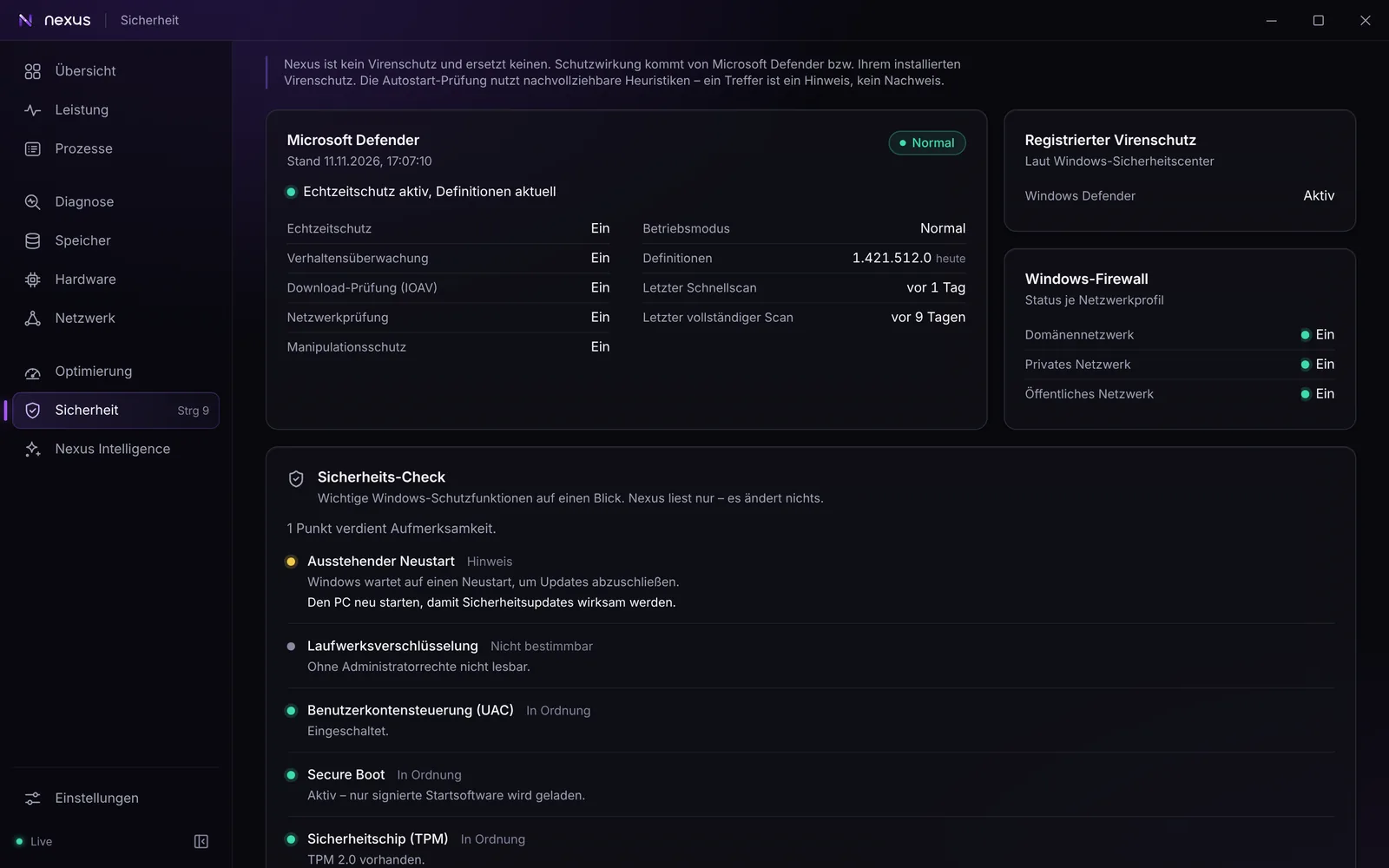
A traffic light for the Windows protections that matter, a file check with reasons, and help when you suspect malware.
- Status of Microsoft Defender, your antivirus and the Windows Firewall
- Security check: UAC, Secure Boot, TPM and drive encryption, plus a history of changes
- Startup check with reasons you can follow
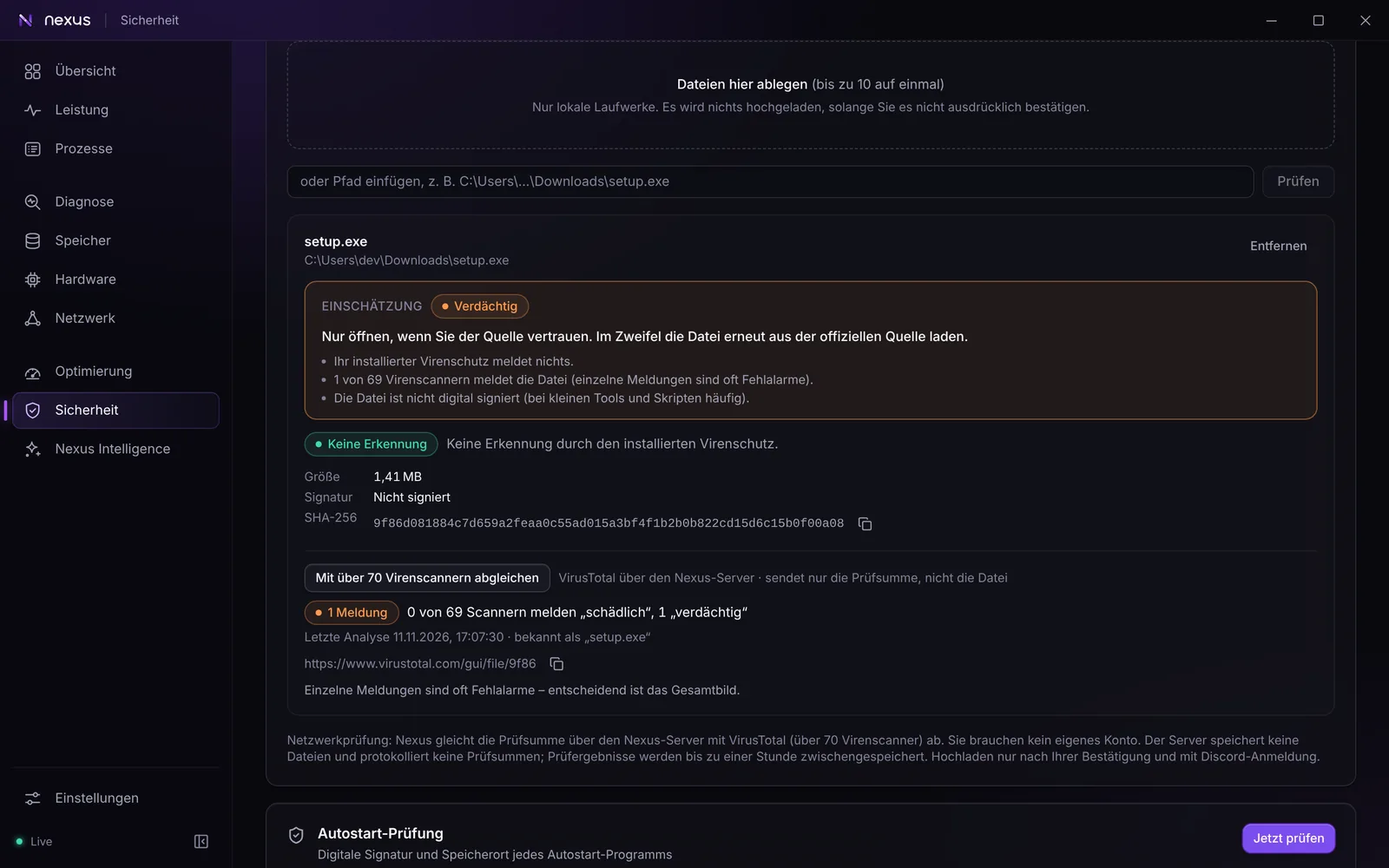
- File check by drag and drop or Explorer right-click: checksum, signature, your antivirus and detection rules, optionally more than 70 scanners via VirusTotal. The result says what was checked and what stays open, never “safe”
- Emergency assistant: step by step help if you suspect malware; nothing runs on its own
- Extended check: core isolation and driver protection (read only), browser policies and proxy settings, root certificates that were added later, and services and scheduled tasks from third parties. What Nexus resets or switches off is backed up first and can be restored
- DNS over HTTPS for the fixed DNS servers, using the templates built into Windows 11
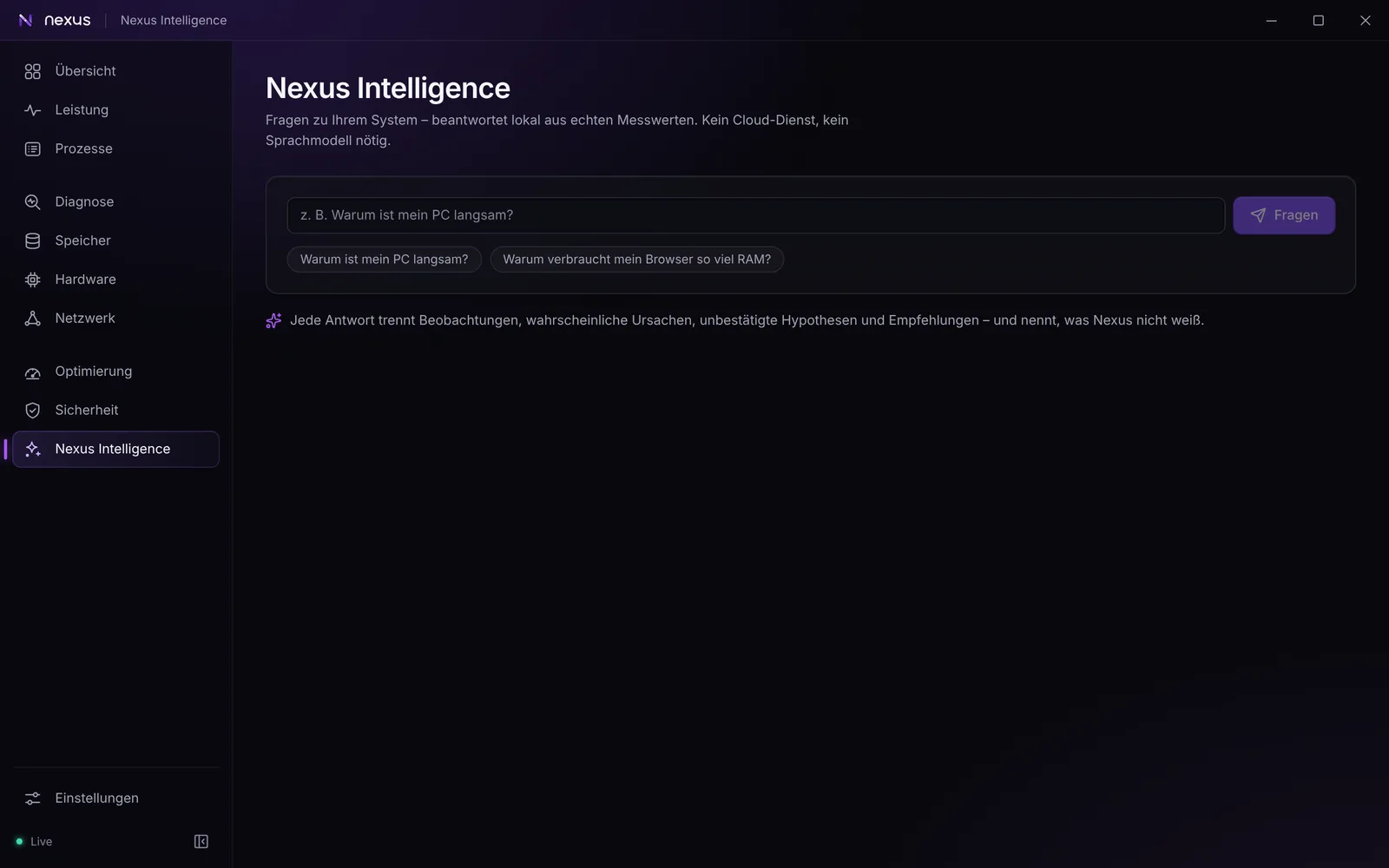
Nexus Intelligence
Ask questions about your PC. The answers come from the measurements, and the assistant says where its limits are.
- Rule-based assistant that answers from the measured data
- Optional local AI model through Ollama on your own PC (127.0.0.1)
- Your questions and measurements never leave the PC
Alerts and settings
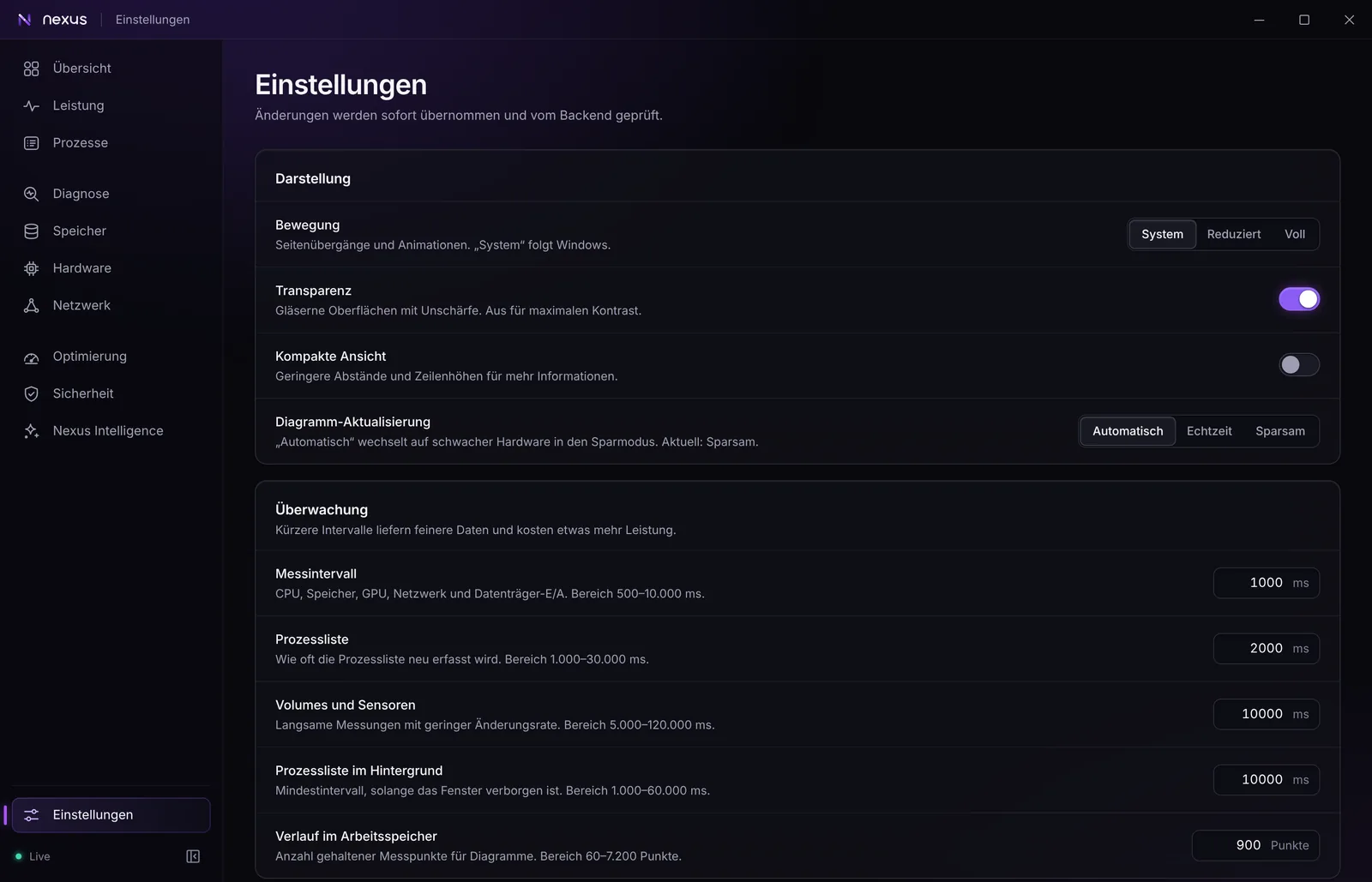
Notifications for lasting problems, not for every spike, and settings for how often Nexus measures.
- Alerts for lasting problems and your own rules
- Optionally send alerts to your own Discord server through a webhook
- English and German: Nexus follows your Windows display language, and you can switch at once in the settings
- Measurement intervals, compact view, transparency and motion settings
What Nexus will not do
Some things other “PC optimizers” offer are left out on purpose, because they promise more than they deliver or put your system at risk.
- No registry cleaner and no RAM booster
- No one-click “optimize everything” and no problem counter
- No driver updater with its own database: drivers come from Windows Update only
- No fan control, overclocking or undervolting through kernel access
- No removal of Store apps
- No antivirus of its own and no “your PC is safe” badge
- Never switches off Defender, Windows Update, UAC or SmartScreen
- No ads, no bundled offers, no telemetry